Your shift pattern,
already on the calendar
RotaWake turns a rotating shift pattern into a calendar you can actually plan around. Set the pattern once and every future shift is filled in, with a reminder before each one.
GET IT ONGoogle Play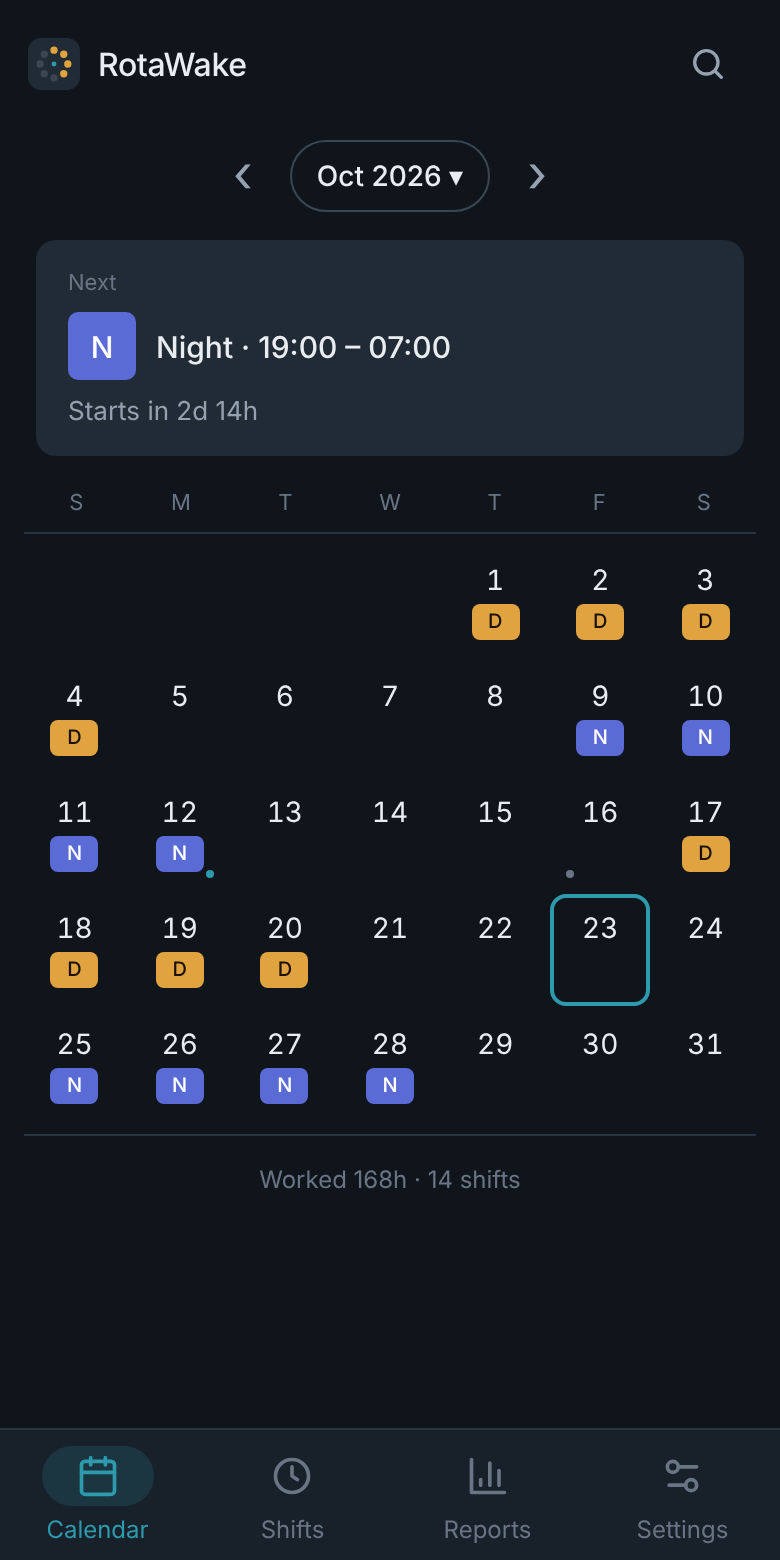
What RotaWake does
Six things, done properly, with nothing you have to maintain by hand.
Any rotation, any cycle length
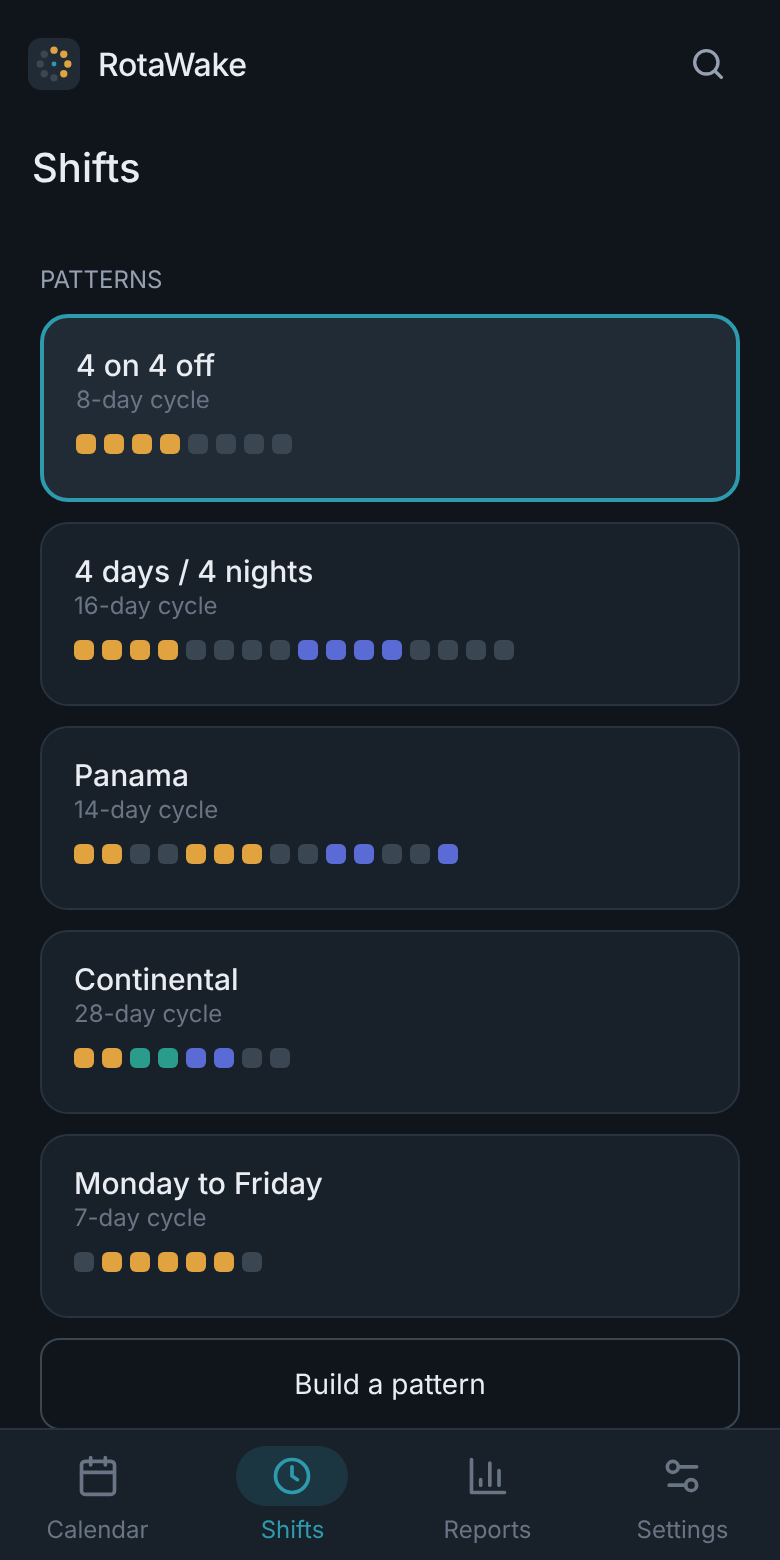
4 on 4 off, Panama, continental, days and nights, weekdays — or build your own cycle in under a minute. RotaWake stores the rule, not a list of dates, so it never runs out.
Your whole month at a glance
Colour-coded shifts with today outlined and your next shift pinned above the grid. Scroll forwards or backwards as far as you like.
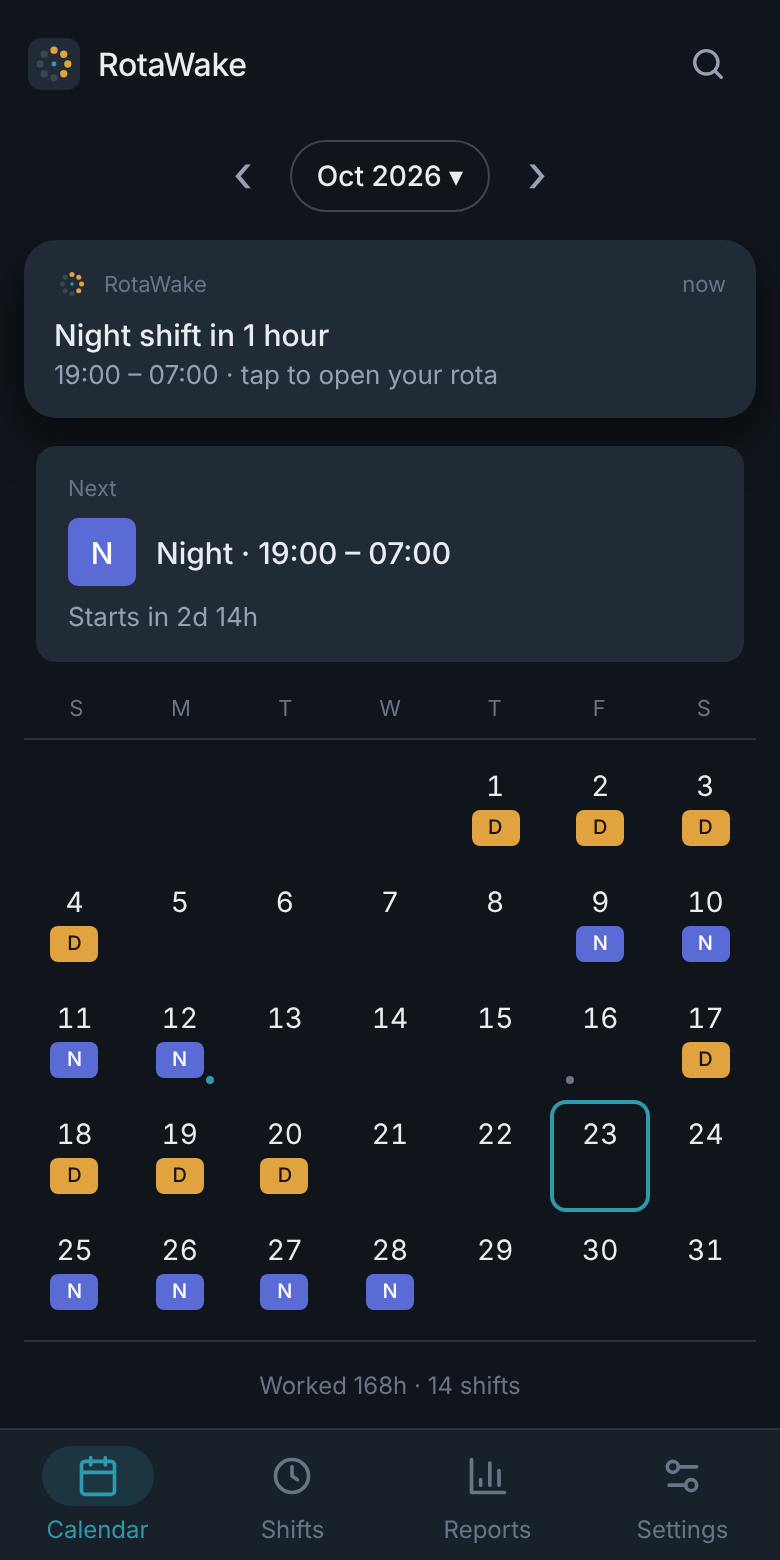
A reminder before every shift
Set how far ahead you want the warning and it arrives on time, with no connection and no account. Android schedules it in advance.
Change one day without breaking the pattern
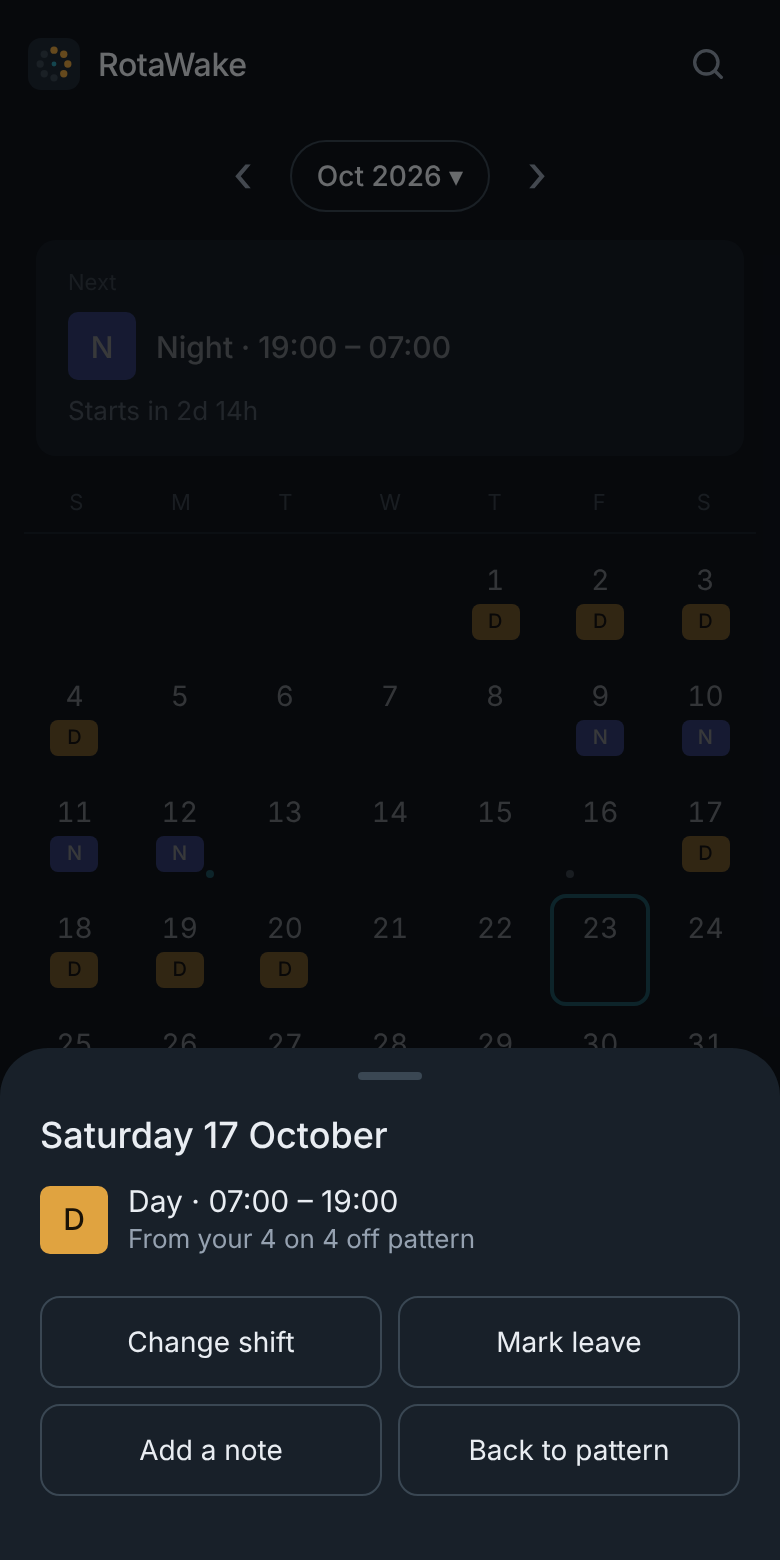
Cover a shift, book leave or mark a training day. The rotation carries on underneath, so the days after it are untouched.
Hours, overtime and earnings
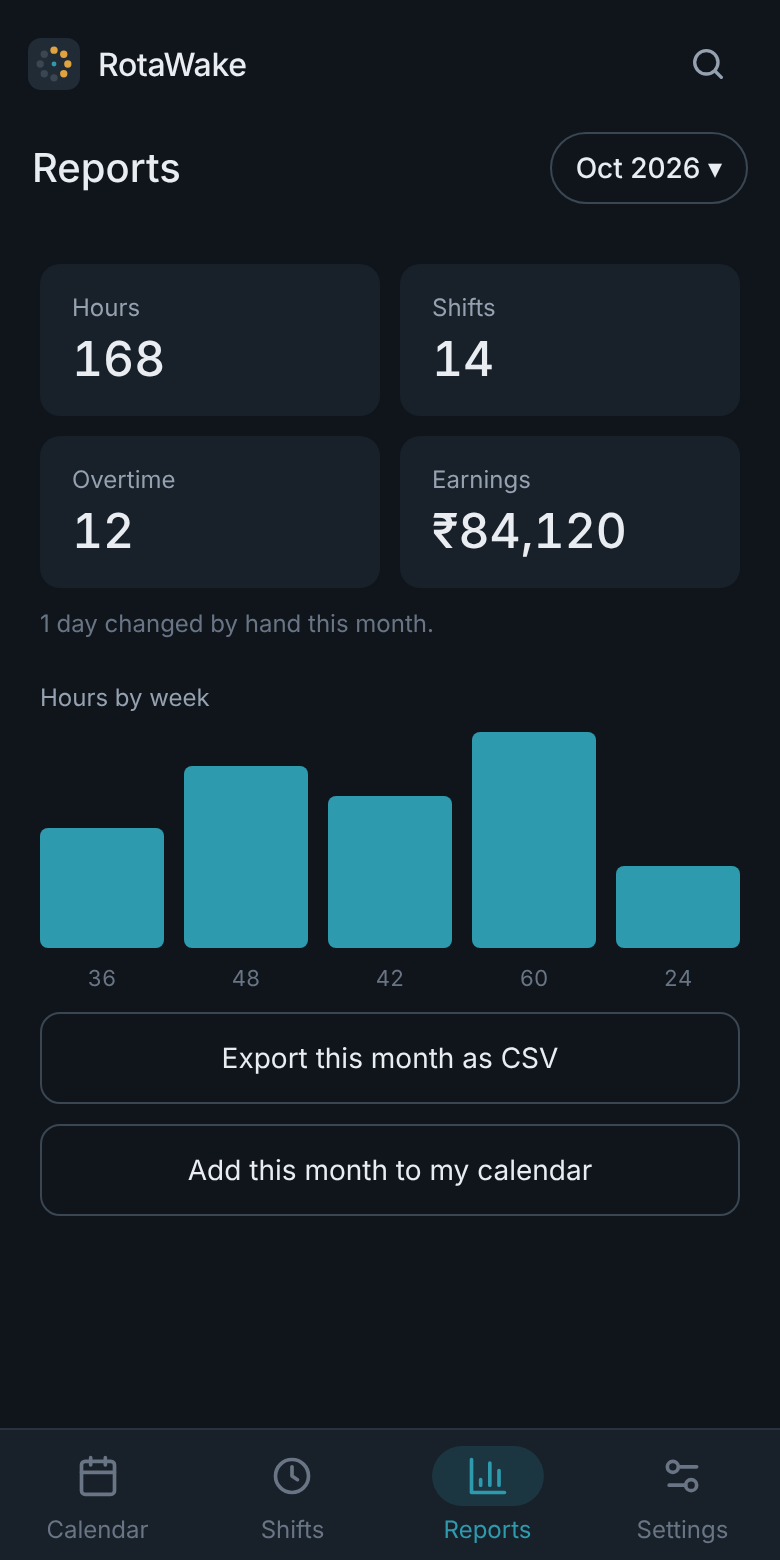
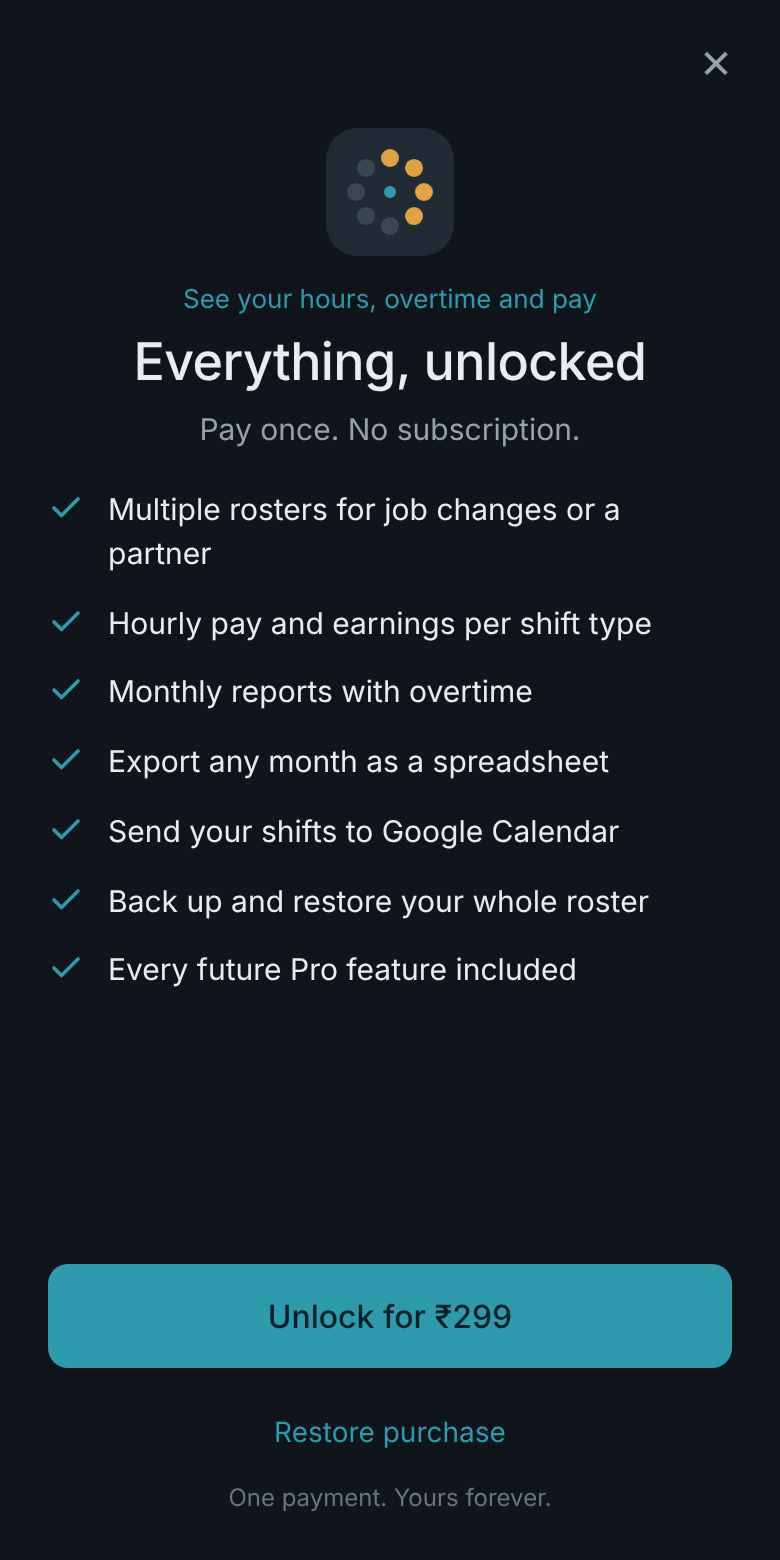
Monthly totals by shift type, a breakdown per shift, and export to a spreadsheet or your calendar. Part of RotaWake Pro.
No account, no cloud, no tracking
Everything is worked out on your phone. There is nothing to sign up for and nothing to leak.
Inside the app
Every screen, exactly as it looks on your phone.
Your roster is nobody else’s business
There is no account and no cloud sync, so your shifts stay on your phone.
How to start
Four taps and your year is filled in.
Pick the pattern that matches your rota, or build your own cycle.
Tap which day of the cycle you are on today. That anchors everything.
Choose how far ahead you want a reminder before each shift.
Change any single day as life happens. The pattern carries on underneath.
Common questions
How do I set up my rotation?
Pick the pattern that matches your rota, then tap which day of the cycle you are on today. RotaWake works out every other day from there, forwards and backwards, for as far as you scroll.
Does it work offline?
Yes. RotaWake has no account and no server. Everything is worked out on your phone, so it behaves exactly the same with no signal at all.
My reminders arrive late. What do I change?
Android battery optimisation is almost always the cause. Open your phone’s Settings, find RotaWake under Apps, and set its battery usage to Unrestricted.
Is Pro a subscription?
No. It is a single payment and it is yours permanently. There are no renewals and no trial that turns into a bill.
Made by Satheesh Mankulam
Satheesh is a UX and motion designer with over 11 years in visual design, who builds his own Android apps in his own time — free, with no account required, and with your data kept on the device.
He wrote The Psychology of Product Moments and writes about design and app building on Medium.
All apps by Satheesh
Small, private, offline-first tools for Android.